 ( 01 / 01 )
Yealink MVC S98Native MicrosoftTeams

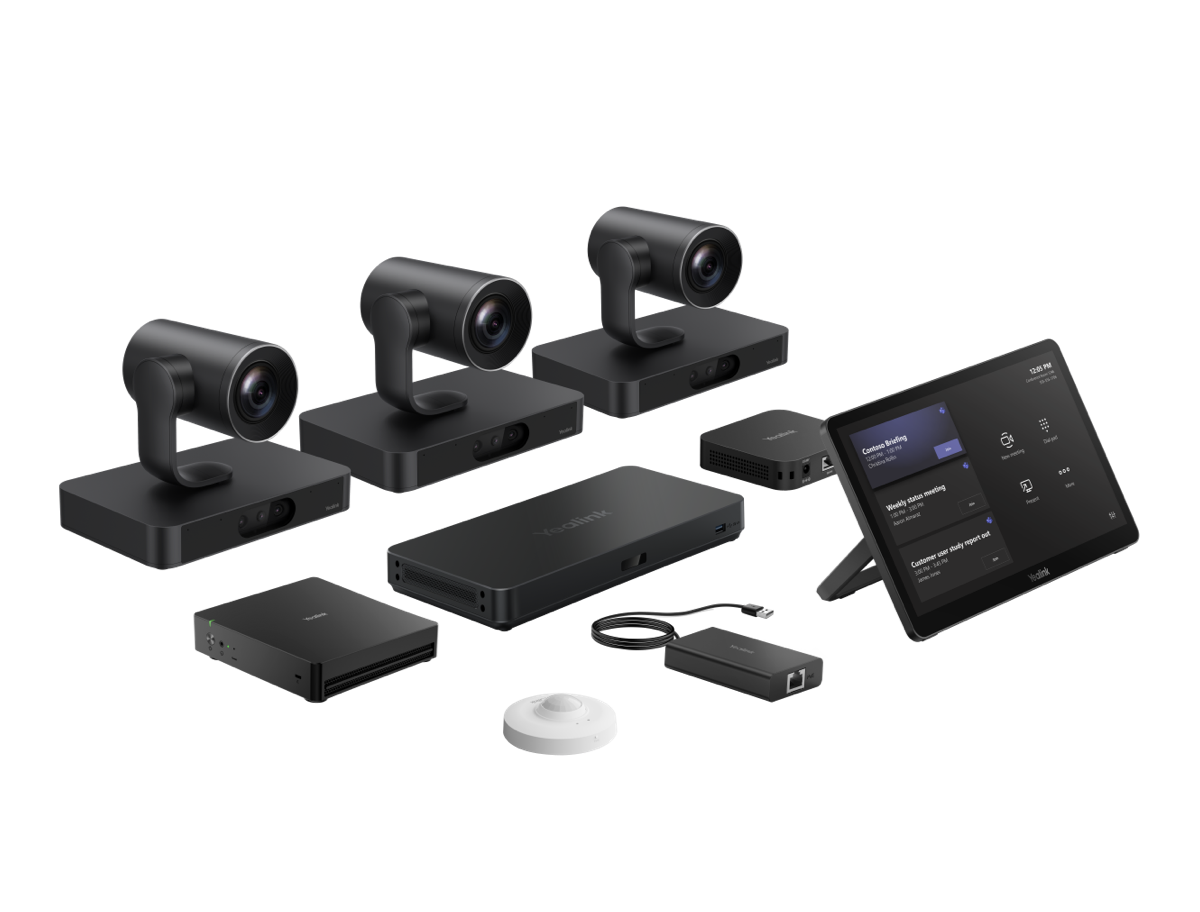
Yealink MVC S98 Native Microsoft Teams Rooms system is a complete Pro AV solution designed for large meeting spaces and professional AV environments. This bundle includes three SmartVision 80 cameras, the MCoreKit-C5U compute kit, AVHub for centralised AV connectivity, the RCH40 E2 room controller, and the MVC-BYOD-EXT extension for flexible Bring Your Own Device workflows. Note: audio devices are not included.
Key Features
- Three SmartVision 80 cameras for comprehensive video coverage
- MCoreKit-C5U compute kit optimised for native Microsoft Teams Rooms experience
- AVHub simplifies signal routing and cabling in complex AV environments
- RCH40 E2 room controller offers intuitive in-room meeting control
- MVC-BYOD-EXT enables seamless integration of participant laptops and BYOD setups
- Modular design supports multi-camera layouts and professional AV infrastructures
- Streamlined deployment tailored for Pro AV integrators
Benefits
This Yealink MVC S98 bundle delivers a consistent native Microsoft Teams Rooms user experience across large rooms, reducing configuration complexity and improving reliability. It combines Yealink-certified components designed to work seamlessly within Microsoft Teams Rooms ecosystems, making it ideal for executive boardrooms, auditoriums, training rooms, and hybrid meeting spaces.
Use Cases
Ideal for organisations standardising on Microsoft Teams that require enterprise-grade video coverage with centrally managed AV. Please note that audio endpoints such as ceiling microphones, speaker bars, or DSPs are not included and must be specified separately to complete a full-room audio solution.
What's in the Box
- 3x SmartVision 80 cameras
- MCoreKit-C5U compute kit
- AVHub for AV connectivity
- RCH40 E2 room controller
- MVC-BYOD-EXT extension
( Specifications )
| Wireless | Optional wireless/Wi-Fi depends on MCoreKit configuration (en-US,en_US.UTF-8,en_US,en-gb,english(en-gb)(English)) |
| Audio Compatibility | Compatible with Yealink and third-party audio devices (sold separately) (en-US,en_US.UTF-8,en_US,en-gb,english(en-gb)(English)) |
| Audio Devices Included | No (audio devices not included) |
| Audio Integration Requirement | External audio devices / DSP / microphones required (not included) |
| Audio Support | Supports external microphones, speakers, and DSP via Pro AV integration |
| Automatic Features | Auto-framing and speaker tracking features supported (en-US,en_US.UTF-8,en_US,en-gb,english(en-gb)(English)) |
| AV Hub | AVHub |
| AVHub Control Interface | USB / network connection to MCore |
| AVHub Display Support | Supports multi-display room setups (up to 3 screens, depending on configuration) |
| AVHub Function | Central Pro AV integration and signal distribution |
| AVHub Synchronization | Coordinates multiple cameras and AV endpoints |
| AVHub Video Inputs | Multiple USB / HDMI interfaces (depending on model revision) |
| Brand | Yealink (en-US,en_US.UTF-8,en_US,en-gb,english(en-gb)(English)) |
| BYOD Extension | MVC-BYOD-EXT |